
LiveNCTS6 transit declarations are now live — alongside CDS, GB ENS, EU ICS2, GB GVMS and French ELO
Register
Customs software · Retail replenishment

Customs Declaration Software for Retailers

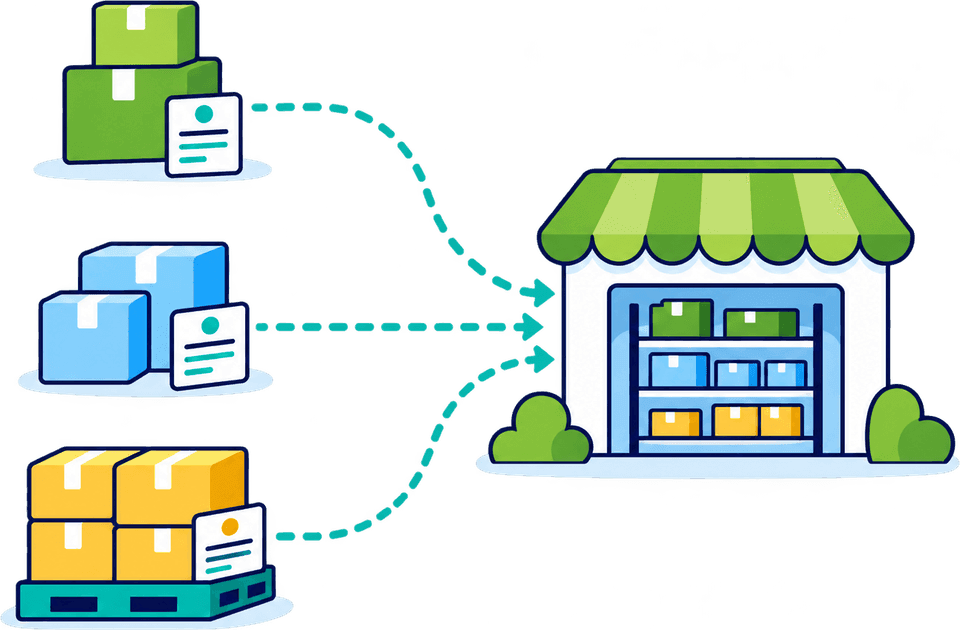
File every replenishment shipment yourself. A retail load brings together products from multiple suppliers, each with its own classification, origin and paperwork, and CDUK keeps all of it organised and checked. There are fewer hand-offs between buying, logistics and customs, and a clear record of every declaration your team files.

  • File in-house
  • Saved parties and cloning
  • AI document processing
  • CDS bulk editing
  • Pick a saved supplier in one clickSupplier details are filled in for you, so each replenishment starts faster.
  • Upload the order lines from ExcelRows with the same commodity code and origin merge into goods items, however long the range.
  • Clone last season’s replenishmentCarry over suppliers and goods descriptions, then update quantities and review before filing.
  • Submit and see the resultYour team files from the platform and sees the acceptance and MRN as soon as they arrive.

In a nutshell

Buying teams think in ranges, categories and collections. Customs thinks in goods: what each item is, what it is made from, where it originates and what it is worth. Every replenishment order sits between the two, with a new mix of suppliers, products and documents each time. Every delay or re-keyed entry costs time and money.

Customs Declarations UK (CDUK) lets your retail team bring customs filing in-house and submit GB declarations directly to HMRC through HMRC's Customs Declaration Service (CDS), without rebuilding each entry from the start. Reuse saved parties and previous entries, extract supplier invoices with AI document processing and apply shared details to the lines they genuinely cover.

You have full control of every declaration: you prepare it, check it and submit it, with built-in validation and our UK support team behind you. Pay as you go, with no monthly fee and no minimum volume. Accounts are activated instantly, so a retail team can file its first replenishment order the same day it registers.

Why retail is different

A mixed range needs item-level control.

Categories help buyers, but they do not tell customs what is on the pallet. A declaration is built from the detail behind each category. These are the six things every retail line has to get right, and our guided workflow and real-time validation make each one visible, so fewer corrections reach the border.

  • What each item is

    A supplier's general description often does not identify the product. In CDUK you review each goods line and use the UK Tariff and commodity code lookup to describe and classify what is actually on the pallet. Saved descriptions carry forward, so a range you buy every season is described properly once.

  • What it is made from

    Materials and construction can change customs treatment, and one retail category can hold products made very differently. Goods-line review in CDUK keeps those differences visible instead of buried in a category. Your team can see at a glance which lines share a treatment and which need their own.

  • Where it originates

    A supplier's address is not an origin, and origin can differ by product even within one invoice. CDUK lets you set and keep origin on the individual line, so evidence and claims follow the product, with a clear audit trail behind each declared origin.

  • The basis of its value

    Invoice price, trade terms, freight and other charges all feed the customs value, and each supplier may split them differently. Prepare them in one guided workflow, with real-time validation before you submit, and see how supplier terms change the value without chasing a spreadsheet.

  • How it travels

    Packing lists group goods by carton or pallet, invoices by line, and the declaration needs both views to agree. CDUK compares the two so mismatches surface before submission, not after a hold-up at the port.

  • When volume peaks

    Seasonal ranges squeeze work into a few weeks. Templates, cloning and bulk upload let your team absorb the peak without waiting in anyone else's queue or paying per-entry handling fees. You pay only the CDUK per-declaration price, with volume discounts available if your seasonal peaks become regular.

Faster replenishment

From supplier paperwork to a filed declaration.

Three working habits cover most replenishment shipments. Select each to see how your team files faster. Every step is logged, so you can see who prepared and who checked each declaration.

Start from the documents you already receive

  • IDP
  • Invoices
  • Packing lists

AI document processing turns supplier invoices and packing lists into a reviewable draft, so your team starts from structured data, not a blank form. Where documents disagree, the differences are shown to you for a decision. There is no per-document fee.

  • Upload the invoice and packing list together so quantities and packages are compared for you
  • Spot repeated products, packaging totals and invoice-to-packing-list differences
  • Confirm the draft once every goods line looks right to your team

No per-document fee for AI document processing on supported declaration types.

Explore AI document processing
Illustrative example

A mixed-range invoice, checked line by line.

One supplier, multiple product types and multiple origins: the kind of invoice retail teams file every week. The names and figures below are invented placeholders.

Mixed range

Keep the lines that differ apart

A replenishment invoice looks uniform because it comes from one supplier. In CDUK your team sees where products, materials or origin differ underneath it, so shared details are applied only where they belong. Gaps in description, material or origin are flagged on the line and can be resolved before submission.

  • Lines with different origin are kept separate
  • Add a clearer description to any line where the supplier's is thin
  • Compare packing-list totals with the invoice before you confirm
Who holds what

Your systems hold the data. You file in CDUK.

Merchandising, buying and stock systems stay the source of your commercial and inventory information. CDUK is where your team turns the documents and data they produce into declarations, with one clear view of what was filed, when and by whom.

InformationWhere it livesRole in the declaration
Product range and costMerchandising or buying systemIdentifies goods and supports value
Supplier invoice and packing listSupplier, procurement teamSource for goods lines, quantities and weights
Origin evidenceSupplier records, buying teamSupports declared origin and any preference claim
Customs declarationCDUK, filed by your teamPrepared, checked and submitted by your team directly to HMRC

ERP and stock-system connections via API are scoped with us. See connect ERP, TMS and WMS data.

Seasonal volume

Plan seasonal volume early.

Peak season is where filing your own declarations pays back most. Identify the ranges and trade lanes that will add declarations and agree the basics, so your team is ready before the goods are. CDUK is pay as you go, so a quiet month costs nothing extra.

Peak-season preparation
  1. Step 1: Identify the pressure points

    Which ranges, suppliers and lanes will add the most declarations this season? Look at last year’s peak weeks for a guide.

  2. Step 2: Agree the source information

    Decide which documents arrive, when and from whom, ready for AI extraction. Consistent paperwork makes extraction faster.

  3. Step 3: Name the reviewer

    Agree who checks each draft and who submits, with roles set up in your CDUK team. A named checker on every draft keeps accountability clear.

  4. Step 4: Onboard with our team

    Our UK team onboards and trains your people, and agrees volume pricing around the services you need. You can register and file immediately while that conversation happens.

Pricing is flexible: pay as you go with no monthly fee, or a custom subscription with volume discounts. See our pricing page.

How to start

Start with one replenishment order.

  1. Step 1: Choose a typical order

    Pick one with multiple product types so you see the line-by-line control at work.

  2. Step 2: Prepare it from documents

    Extract the invoice and packing list with AI document processing, then complete the customs details. Discrepancies between the two documents are shown for your decision.

  3. Step 3: Check and submit

    Check each line, apply shared details with bulk editing and submit directly to HMRC. Customs responses come back into your account as notifications.

  4. Step 4: Reuse for the next order

    Save parties and clone the entry, then update only what has changed.

Frequently Asked Questions

Questions from retail teams.

Does every item from one supplier have the same origin?

Not necessarily. Origin is set at product level, and the declarant decides it using HMRC's rules of origin. In CDUK you record origin on each goods line and keep evidence for any preference claim alongside it. Our team can help your people set up evidence handling at onboarding.

Can we use the platform for returns?

Yes. You prepare the return declaration in CDUK, choosing the procedure and relief that fits the circumstances, with guided steps and validation behind you. Our team can help you set it up. Return declarations sit in the same history as the original shipment. For online sales and parcel returns, see our e-commerce page.

Does this replace our merchandising or stock system?

No, and it does not need to. Those systems remain the source of commercial and inventory information, while CDUK is where you file. ERP and API connections are scoped with us, so data can flow into your declarations.

How does bulk editing avoid overwriting the wrong lines?

You select the items a shared detail applies to, then apply it, so only those lines change. Lines that need different codes, origin or references stay separate, and validation helps you review the differences before submission.

What if a supplier's invoice description is too vague?

Replace it. Use your own product records or ask the supplier for a description that identifies the product, then use commodity code lookup to classify the line. Because you file your own declarations, you can fix it before submission without waiting on a third party.

Can we prepare declarations for several suppliers' orders in the same week?

Yes. Each shipment is its own declaration built from its own documents, and your whole team can work in parallel on one account. Saved parties, cloned declarations and bulk upload get regular suppliers started fast. There is no monthly fee, so a heavy week costs only what you file. For online sales and parcel flows, see our e-commerce page.

See How a Replenishment Order Becomes a Draft

Bring a recent supplier invoice and we will walk through the workflow, from documents to a declaration your team has checked and filed. Register in minutes and pay only for what you file. Our UK team will help you set up saved parties and your first templates.
