
LiveNCTS6 transit declarations are now live — alongside CDS, GB ENS, EU ICS2, GB GVMS and French ELO
Register
Platform · Compliance & validation

Make Declaration Checks Part of the Everyday Workflow

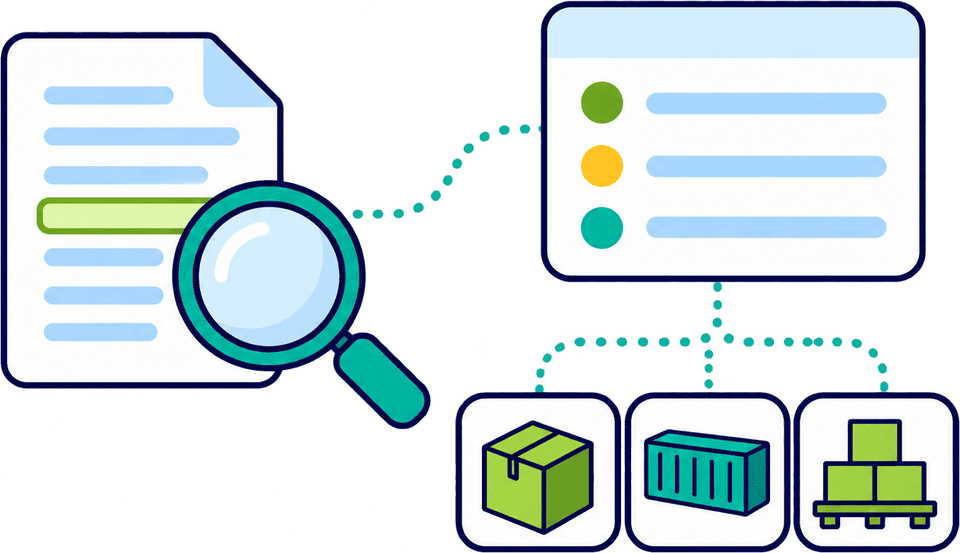
Find missing information and inconsistencies while the declaration is still being prepared, not after it reaches HMRC. Guided fields, real-time validation and Customs Declaration Service (CDS) commodity requirements mapping help your team build a complete entry before submission, saving the time and cost of corrections. The checks are visible, consistent and built into every filing.

  • Validation while preparing
  • Commodity requirements mapping
  • Layers of checks
  • Evidence on record
  • Map data requirements to the selected codeThe data and documents the code calls for are listed, so gaps show up while you prepare.
  • Spot differences before they are filedWhere your documents and template disagree, both values sit side by side for your team to choose.
  • Fix each issue on the field it affectsChecks support your team. The customs treatment stays the declarant’s decision.

In a nutshell

Customs Declarations UK (CDUK) builds checks into declaration preparation, so your team can file in-house with confidence. Real-time validation highlights missing or inconsistent data as you work, and CDS commodity requirements mapping organises the information and supporting responses that relate to the codes selected for the goods. Fewer errors reach HMRC and fewer entries need amending.

Your team prepares, checks and submits each declaration directly, with built-in checks and our support behind you. You make the classification, origin and valuation decisions, and the platform guides and checks them, keeping the evidence beside the entry. Our UK-based team is on hand for onboarding, training and support.

Why check during preparation

Catch a data problem while it is easier to correct.

A missing reference, an incomplete field or conflicting information creates extra work and cost if it is discovered after submission. Checks during preparation let your operator fix issues before the entry reaches the customs system.

  • Attention goes where it is needed

    Validation points to the part of the declaration that needs attention, so a long entry does not have to be re-read line by line to find the one field that is wrong.

  • Fix at the source

    Correct the source information, update the entry and run the checks again. If the cause is a supplier document, you see that straight away and can fix it at the source, so the same gap does not return on the next shipment.

  • A working step, not a last obstacle

    Checks run throughout preparation as part of the process, instead of arriving as a surprise at the Submit button. Because nothing is saved up for the end, the final review is quick.

Understand the different layers of review

Five layers, each answering a different question.

No single check does all the work. These layers complement one another, and CDUK supports each of them in one workspace. Your reviewer can see, entry by entry, which layer is complete and which still needs attention.

LayerWhat it helps establishHow CDUK helps
Document reviewWhether the source information is readable, consistent and complete enough to useAttach and compare documents beside the entry
Data validationWhether the entry meets the supported field and business-rule checksReal-time messages tell your operator what to fix
Commodity requirementsWhich information and supporting responses relate to the selected CDS codesMapping groups the requirements; you verify the code
Customs judgementWhether the treatment is appropriate and supported by evidenceYour decision, backed by guided fields and evidence
Authority responseHow the customs system has processed the submitted entryNotifications bring the response to your team

A field can pass a format check and still hold the wrong fact, which is why the layers work together and why you keep the evidence beside the entry.

Illustrative examples

Checks you can see working.

Requirement group

One shared answer, one exception.

After a commodity code is selected, the associated requirements still have to be completed. These may include supporting document information and responses to applicable measures. Mapping organises that work around the codes selected, so items with the same requirement are answered together. Here, two items share a response and one needs a different answer. The requirements appear in the workspace beside the goods line.

  • Complete common information once for the items that share it
  • Answer the product that differs separately
  • Apply shared answers only to the goods they suit
Document to field

Check a value against its source.

A document-to-field check asks a narrow question: does the value in the declaration match what the source says, and does it mean what the field needs it to mean? Your reviewer sees both values side by side and picks the right one. The source stays on record, so the next person can see where each figure came from.

  • See which document each value came from
  • Compare values where documents differ
  • Query the supplier when the documents do not settle it
Evidence and decisions

The form shows the entry. The evidence supports it.

The correct declaration depends on more than the information visible in a form. The declaration workflow prompts for the relevant information and references, and you keep the supporting records with the filing. Your team can then explain the basis of any entry quickly if a customer or customs authority asks later.

Product information behind the code

  • Verify the code

Product specifications support classification. You decide the code, using UK Tariff and commodity code lookup, and the workspace then maps the requirements that go with it. A code printed on an invoice is a prompt, and your team confirms it describes the goods. Classification, origin, valuation and procedure remain your decisions.

  • Attach specifications, datasheets or composition details
  • Use commodity search to look up a description or a partial code
  • Verify that the code describes these goods

Classification is your decision. The platform guides and checks it.

Documents feed the checks

Extracted information joins the same checks.

AI document processing turns invoices, packing lists and transport documents into a draft your team reviews, with no per-document fee. Your operator checks the output against the source, resolves conflicting values and fills any missing facts. Classification, origin and valuation decisions remain yours, and the draft goes through the same validation as any other entry.

The result is much less keying. Uncertain values are visible instead of buried in a field, so your team spends its time on judgement. Read more on the AI document processing page.

See document processing
After submission

After submission, read the response.

Acceptance, a request for information and release each mean something different. CDUK brings the response from the customs system back to your team with notifications and records everything against the declaration.

After a declaration is submitted
  1. Step 1: Submission

    Your team submits the checked declaration directly to the customs system. The submission is recorded in the declaration history.

  2. Step 2: Authority response

    Read what the customs system says. Acceptance, a query and release each mean something different, and the notification tells you which.

  3. Step 3: Decide the action

    Supply requested information, correct the entry or tell the transport team, all from the same declaration.

  4. Step 4: Permitted post-submission action

    Where an amendment or other action is available, make it from the declaration, with the change recorded in its history.

Amendment and cancellation options depend on the declaration's status and workflow, and CDUK shows what is available.

Frequently Asked Questions

Questions about validation.

Does validation guarantee compliance?

Validation gives you real-time data quality and rule checks, so far fewer errors reach HMRC. You still establish the facts and the correct customs treatment, and CDUK keeps the supporting evidence beside the entry.

Does mapping choose the commodity code for us?

You choose the code, using UK Tariff and commodity code lookup. Mapping then organises the requirements associated with that code, so you complete them in one place. Your team verifies that the code describes the goods.

Can shared requirements be completed across multiple items?

Yes, within the CDS workflow. Apply common answers to the goods that share them and answer different products separately. See GB CDS import and export.

What exactly does CDUK check?

CDUK checks field and business-rule data as you prepare, and maps CDS commodity requirements to your selected codes. Licence and authorisation references are entered by your team in the workflow. Tell us about any specific check you need and we will confirm how it works in your account.

Can a checked declaration still be queried?

Yes, customs can still query a declaration, which is why your team keeps the evidence with each entry. Built-in checks make queries less likely, and CDUK notifies you of any response so you can act on it quickly.

How does validation work with document processing?

Extracted values go through the same validation as any entry. You compare them with the source, resolve differences and fill gaps in the draft, then submit. See the declaration workspace for how that sits in the daily workflow.

Where can I learn about improving compliance practice more broadly?

Our page on improving customs compliance covers process controls in more depth, and the audit trail and reporting page shows how filing history gives you full transparency.

See the Checks on a Declaration That Matters to Your Team

Bring a representative entry and we will show where validation and requirements mapping fit into the work. Or register now: accounts are activated instantly, with pay as you go pricing and no monthly fee. Our UK-based team will go through it with your operators.
