
LiveNCTS6 transit declarations are now live — alongside CDS, GB ENS, EU ICS2, GB GVMS and French ELO
Register
Customs software · Manufacturing

Customs Declaration Software for Manufacturers

Connect the materials coming in with the goods going out, all from one account. Your team files its own GB customs declarations direct to HMRC, with reusable information, multi-item editing and built-in checks that cut the time and cost of every entry. Imports, exports and special-procedure movements run side by side.

  • File in-house on CDS
  • Special-procedure declarations
  • Multi-item editing
  • AI document processing
  • Start from a saved templateParties, procedure and usual settings are already in place — add only this shipment's details.
  • Upload the bill of materialsRows with the same commodity code and origin merge into goods items, so long lists need little keying.
  • Update many goods items at onceSet packages or marks once and apply them to every checked item — blank fields stay unchanged.
  • Catch errors early, then submitEvery missing field listed by section — jump to it, fix it, then submit your declaration.

In a nutshell

Manufacturers move raw materials, components, finished products and equipment across borders for different reasons. A purchase for production, a customer sale and an item sent for repair should not share the same customs treatment, so the purpose of the movement comes first. Your own team knows it best.

Customs Declarations UK lets your team bring customs filing in-house: prepare and submit GB Customs Declaration Service (CDS) declarations, from standard entries to special-procedure declaration workflows, directly to HMRC. Saved parties, prior entries, AI document processing and multi-item editing make repeat shipments quick, and every declaration sits in a searchable history.

You have full control: you prepare each declaration, check it against your own production, bill of materials (BOM) and authorisation records, and submit it, with real-time validation. Pay as you go, with no monthly fee and no minimum volume. Accounts are activated instantly, and our UK team supports your people through onboarding and training.

The manufacturing reality

Same SKU. Different facts each time.

Familiar products create a risk of their own: the paperwork looks the same, so the customs facts get assumed, not checked. CDUK puts every line, reference and change in front of the people who know the product, and keeps the history for every shipment.

  • Purpose drives the procedure

    Settle what is moving, who owns it and what will happen to it before choosing a procedure. Production inputs, sales, repairs and returns each raise different questions, and CDUK’s guided wizards walk your team through each.

  • Many lines, shared details

    A shipment of components can run to dozens of goods lines that share parties, terms and documents. Multi-item editing lets you apply shared details once, then check only what differs.

  • Specifications sit outside the invoice

    Identifying goods can need material, grade or technical detail held in engineering or purchasing records, not on the invoice. Your team adds it once in CDUK and saves it for every later shipment.

  • Suppliers and origin change

    A new supplier, a changed composition or a different origin can alter the customs picture while the part number stays the same. CDUK shows what changed against your last entry, so nothing is carried over unnoticed.

  • Authorisations carry conditions

    Special procedures depend on authorisation and ongoing conditions that your business holds. Your team files the declaration in CDUK, with the authorisation references and audit trail kept alongside it. The record shows what was declared, when and by whom.

  • Your ERP data, put to work

    Your ERP can supply parties, parts and values. ERP and API connections are scoped with us, so the right fields flow into your declarations and your team completes the rest. Bulk CSV/Excel upload is available today.

Where customs fits

Customs sits on the border movements.

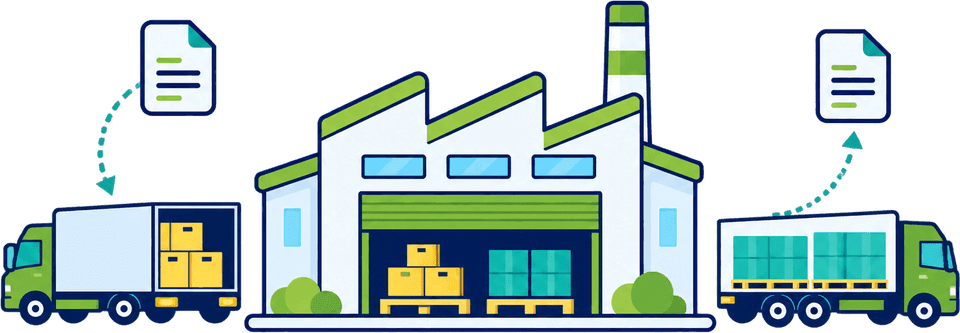
Your plant is the middle of the diagram. CDUK is where your team files the declarations on the movements that cross a border at either end, so inbound materials and outbound goods are declared from one account with one set of product data.

Illustrative operating picture
  • Raw materialsPurchased from overseas suppliers.
  • ComponentsParts and sub-assemblies.
  • EquipmentTooling, spares, items for repair.
  1. Border in: Import declaration

    File the GB CDS import entry yourself from supplier documents, with parties and prior entries reused.

  2. Your operation: Production and stock

    Run in your own systems: manufacturing, BOMs and special-procedure stock records stay with your team, with CDUK filing the declarations around them.

  3. Border out: Export declaration

    File the export entry for finished goods yourself, reusing the same product information where it still holds. Consistent records in and out reduce questions about what was declared.

Where a special procedure applies, your declaration sits alongside the authorisation, stock records and discharge that your business already manages. CDUK keeps the declaration references in your history.

Purpose of the movement

Four movements that should not be treated alike.

Each movement raises its own questions, and the right treatment follows the purpose. Choose one to see what your team settles before it drafts and files the declaration in CDUK, with guidance and validation at each step.

Materials and components bought for production

  • GB CDS import
  • IDP
  • Multi-item editing

A purchase for production is usually a conventional import, unless a special procedure applies. Your team prepares it in CDUK from the supplier invoice, packing list and transport document, with AI extraction doing the typing. Real-time validation checks values, codes and references before submission.

  • Supplier, invoice value and the commercial basis of the sale
  • Specification detail sufficient to identify the goods
  • Origin information, with evidence for any preference claim
  • Whether any authorisation or procedure is in play

CDUK highlights changes against your last entry on a familiar SKU.

Discuss production imports
Illustrative example

Reuse the last entry, then check what changed.

Repeat shipments are where prepared information saves the most time. Start from the last entry, then check only what moved: grade, origin or value. Every change you make is recorded.

Repeat shipment

Compare a saved record with this shipment.

Use saved parties and prior entries to start a repeat shipment, and apply shared details across selected goods lines with multi-item editing. Before you reuse a treatment, check any change in composition, supplier, origin or transaction value.

  • Saved parties and previous entries give you a fast starting point
  • Update shipping marks, documents or valuation details across several lines at once
  • Check item-specific origin, codes and references line by line
  • Extract documents with IDP and compare them for conflicts before drafting
Who holds what

Bring the right detail into one filing.

A complete customs record rarely lives in one system. This table shows the usual sources and who in your business normally confirms each item, so your team knows where to look and whom to ask before it files.

DetailUsual sourceWho confirms
Material or product specificationEngineering or purchasing records, supplier data sheetsTechnical or compliance lead
Invoice values and commercial basisCommercial invoice, purchase order, contractFinance or purchasing
Origin and preference evidenceSupplier declarations, production recordsCustoms or trade compliance
Purpose of the movementOrder type: processing, repair, return, saleOperations and customs
Authorisation and document referencesAuthorisation records, certificatesWhoever holds the authorisation

ERP data is a strong starting point, and API connections are scoped with us around your fields. See connecting ERP, TMS and WMS data.

Getting started

Build a repeatable process for a regular trade lane.

Start narrow. One lane with known suppliers and documents is quick to bring in-house. Our team onboards and trains your people, and once the first lane runs smoothly you add the next on the same account. Pay as you go with no minimum.

  1. Step 1: Choose a lane

    Pick a regular flow, such as inbound components from one supplier group or outbound finished goods to one market.

  2. Step 2: Define the facts to hold

    Agree which product, origin and procedure details are saved in CDUK, who owns each and when they are re-checked. Clear ownership keeps records current as suppliers and specifications change.

  3. Step 3: Run real documents

    Use document processing on a live shipment, check the draft and file it yourself.

  4. Step 4: Bring the whole lane in-house

    Our UK team supports you through onboarding, training and complex procedures. Bring customs filing in-house and control cost and timing. Volume discounts and custom subscriptions are available as your lanes grow.

Frequently Asked Questions

Questions from manufacturers.

Does Customs Declarations UK determine origin from our bill of materials?

No. Origin is your decision, made under the applicable rules from your own BOM and evidence. In CDUK you record the result on each goods line and keep the evidence with the declaration. Our UK team can help set up that routine at onboarding.

Can we file inward-processing declarations?

Yes. CDUK supports CDS special-procedure entries, including inward processing, and your team files them directly. The authorisation, stock records and discharge stay in your own process, with the references kept alongside the declaration. For a related special-procedure example, see our guide to entry into customs warehouse.

Can we bring routine filing in-house?

Yes. Start with one defined flow and add more as your team gains confidence, with onboarding, training and support from our team. Our page on bringing customs filing in-house sets out how to approach it.

Can it help with multi-line component shipments?

Yes. Multi-item CDS editing applies shared details, such as shipping marks, documents or valuation information, across selected goods lines in a few steps. You then check item-specific origin, codes and documents line by line.

Can we reuse a product’s previous treatment?

Yes. Saved parties, templates and cloned entries speed up repeat shipments. Your team checks anything that changed, such as composition, supplier, origin or transaction value, before it submits.

Can it pull data from our ERP?

Yes, via API connections scoped with us around your fields and interface. ERP data gives your team a strong starting point, and bulk CSV/Excel upload works from day one. See connect ERP, TMS and WMS data.

Arrange a Manufacturing Demo

Bring a regular trade lane and the documents behind it. We will walk through how your team files it in CDUK, with your own records and authorisations staying in your hands. Register in minutes and pay only for what you file. Our UK team will help set up your saved parties and first templates.
