LiveNCTS6 transit declarations are now live — alongside CDS, GB ENS, EU ICS2, GB GVMS and French ELO
Register
Platform · Templates & data reuse

Give Repeat Declarations a Better Starting Point

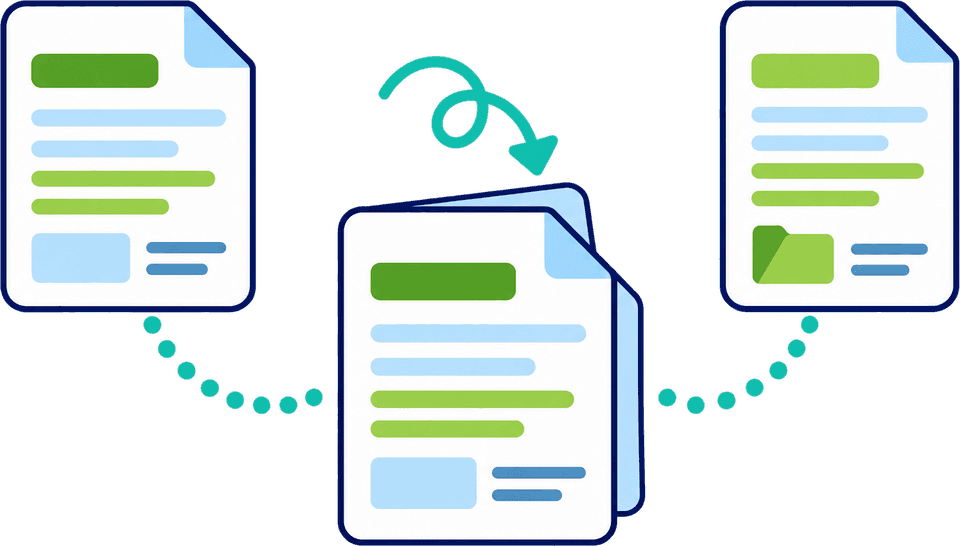
Regular trade should not mean typing the same information every time. Start from saved parties, templates or a previous declaration, then update the facts that belong to the new shipment. Your team files faster, at lower cost per entry, and sees exactly what changed.

  • Saved parties
  • Templates
  • Declaration cloning
  • Bulk item editing
  • Start from a saved templatePick a template for a regular lane and the parties, procedure and goods are already in place.
  • Clone a past declaration into a new draftParties, goods and transport details carry over, and the draft stays open for your team’s review.
  • Update this shipment’s detailsApply the new invoice’s quantities and prices across items. Origin stays as it was.

In a nutshell

Customs Declarations UK (CDUK) is the platform your team uses to file in-house. It lets you reuse established details, start from previous declarations and complete common information in one action across supported workflows, so regular trade never means rebuilding an entry from nothing.

Reuse works best when each kind of repeated detail sits at the right level. A party address may apply to many movements. A template gives a familiar job a starting structure. A cloned declaration carries the detail of a previous shipment, and the platform shows you what to update. Your team checks and submits each draft directly, with our UK-based team on hand for onboarding and training. Onboarding covers how to set up saved parties, templates and your first repeat jobs.

Reuse at the right level

Not every repeated detail belongs in the same place

Copying everything forward is quick, but it also carries old facts forward. Choosing the right starting point cuts typing without importing details that belong to an earlier shipment, and keeps preparation consistent when different operators handle similar work.

  • Stable details

    Business names, addresses and roles change slowly and apply to many movements, which makes them the safest details to reuse. Save them once and every operator picks the same correct record. See trader profiles.

  • A starting structure

    A template gives a familiar type of job a reusable shape in supported workflows, so operators begin from a consistent layout instead of a blank form. New starters get a proven pattern, and experienced operators skip the set-up.

  • A previous shipment

    A cloned declaration holds the detail of an earlier entry: references, quantities, values and transport. It is the fastest start for a repeat order, and you update the details that changed before you submit.

  • Shared lines inside one entry

    Repetition also happens within a declaration. Bulk editing in Customs Declaration Service (CDS) declarations applies common information, such as shipping marks or a supporting-document reference, to the commodity lines you select. Your reviewer can see the change.

  • Data already in rows

    Where information is already organised in a CSV or Excel file, bulk upload brings the rows straight into a draft with no re-keying. Tell us your file layout and we will confirm it for your declaration type.

  • Current documents

    Source documents keep a saved starting point honest. When document processing highlights a difference between the document and the saved value, you see it and decide, with no per-document fee.

Choose a starting point

Five ways to start from something

Each option answers a different situation, and all are available on your CDUK account. Many shipments use more than one: a saved party, a clone of the last order and a bulk edit across a block of lines together remove most of the typing from a repeat job. Introduce them one at a time, starting with saved parties and cloning.

Starting pointBest used forWhat you check
Saved party informationFamiliar businesses used in repeated filings, picked not typedCurrent identity, address and role
TemplatesA reusable starting structure for familiar jobsThat it suits this movement
Cloned declarationA new shipment similar to a previous entry, started in secondsAll transaction-specific information
Bulk item editingInformation shared across selected CDS goods itemsSelection and exceptions
Structured importCSV or Excel data already organised in rowsMapping, completeness and current values

Tell us the declaration types you file and we will show the reuse options for each service.

Illustrative example

A previous entry beside the new draft

Cloning pays off when a customer repeats an order or a regular lane uses a similar declaration. The earlier entry supplies the starting point, so your operator concentrates on what is different about the current shipment.

Repeat order

Update the transaction, then review the new line

A customer imports the same product range each month. The parties and much of the preparation are familiar, but this month has a different quantity and one new product line.

Begin with the established information. Update the dates, references, quantities, values and transport details. Complete the new item on its own, and apply shared details only to the lines they cover. The earlier entry stays in your history, so you can always compare the new draft against it.

  • Check changed quantities line by line against the current invoice
  • Give the new goods line its own review so it stands out
  • Recheck origin, procedure and evidence where facts moved
What changed?

Three updates to check every time

Select an update to see what your reviewer looks at when a draft begins from a template or an earlier entry. A short, repeatable check keeps the speed of reuse and the accuracy of a fresh entry. The examples are illustrative.

Update the commercial facts

  • Transaction facts

Quantities, unit prices, invoice totals and weights belong to the transaction, not to the template. In the example above the tumbler quantity moved from 250 to 320, and the invoice total moved with it.

  • Compare the draft with the current invoice and packing list
  • Check that line totals add up to the declared value
  • Update weights and package counts as well as quantities

Attach the current invoice so the value is backed by this order.

Two different actions

Cloning an entry is not the same as updating selected items

They solve different problems, and CDUK gives you both. Cloning speeds up a whole new entry, while bulk editing speeds up the lines inside one entry. Both leave the declaration open for your operator to inspect.

Whole entry

Clone a previous declaration

Start a new draft from an earlier entry when the whole shipment is similar, and update only what changed. The original is untouched.

  • Creates a new draft, checked and submitted like any other
  • Brings forward transaction detail, so you check each field once
  • Update references, quantities and values for the new movement
  • Best for repeat orders and regular lanes
Selected items

Bulk edit goods lines on a CDS declaration

Apply common information inside one entry when multiple lines share it, instead of editing line after line. Lines you did not select are not changed, so exceptions stay as you left them.

  • Works on the goods items you select, not the whole entry
  • Suited to shared shipping marks or document references
  • Grouped commodity requirements help work through shared responses
  • Open exceptions individually where products or origins differ
Reuse with care

Let current documents check the saved start

A template or an old declaration is convenient, and today's documents keep it accurate. A supplier may have changed the composition of a product, or a customer the delivery arrangement. Because document processing reads the current invoice, packing list and transport documents, a difference from the saved value is highlighted for you to resolve.

You get the speed of established records and a clear view of what has changed in the current transaction.

Your filed declarations remain a record of what was prepared at the time, and your team agrees its own review step for reused drafts. If you need a particular control around templates, tell us and we will confirm how to set it up for your team.

Check reuse for your filings
How to introduce reuse

Find the information your team retypes

A short pilot shows which starting points save your team the most effort. Start with one repeat customer or lane, measure the time saved and roll the pattern out. Our team can help you set it up during onboarding. CDUK is pay as you go with no minimum volume, so you can run the pilot on live work.

  1. Step 1: List what is retyped

    Note the parties, lanes and goods your operators enter again and again, and which customers send the same order each month.

  2. Step 2: Match each to a starting point

    Saved party, template, clone, bulk edit or bulk upload, as in the table above, so each repeat job has the shortest route to a draft.

  3. Step 3: Agree what to check

    Decide which fields your team always rechecks after reuse and who signs each one off. A short written list is enough.

  4. Step 4: Try a repeat order

    Prepare a real repeat job with a changed quantity and one new line, then compare the time with your current process.

Frequently Asked Questions

Questions about reuse.

Can I clone a declaration and submit it unchanged?

Yes, once you have checked that every relevant detail is correct for the new movement. A clone is a draft starting point: you update the references, quantities and values, review the draft and submit. The earlier entry saves the typing, and your check keeps the new declaration accurate.

Does updating a saved record change old declarations?

No. A filed declaration remains the record of what was prepared at the time. Updated saved records are used for the drafts you start next. If you want to see this in your own workflow, we will walk you through it.

Can we use spreadsheet data instead?

Yes. Bulk CSV and Excel upload brings structured rows straight into a draft. We will confirm the layout for your declaration type during onboarding. A tidy sheet gives the cleanest result, so agree the format with your customers or suppliers once and reuse it.

What is the difference between a template and a clone?

A template offers a reusable starting structure for a familiar type of job. A clone starts from the detail of one specific previous declaration, so you update its references, quantities and values. Use templates for the types of job you do every week and clones for individual repeat orders.

How does bulk editing help with many goods lines?

On a CDS declaration, bulk editing applies common information, such as shipping marks or a supporting-document reference, to the commodity lines you select in one action. Check the scope of each change and open the exceptions individually. See automating high-volume declarations for the wider picture.

Does a saved description classify changed goods?

No. A saved description removes retyping, and the classification decision stays yours. When a product changes, use the UK Tariff and commodity code lookup and requirements mapping in the workspace to verify the code, and update origin and value to match.

Can we control how operators use templates?

Your team sets its own review step for reused drafts, and workflow and collaboration helps you organise who prepares and who checks. If you need a specific control around templates, tell us and we will confirm how to set it up.

Show Us the Information Your Team Enters Repeatedly

Bring a repeat order and we will walk through how CDUK helps you start from what you already have and file in minutes. Or register now: accounts are activated instantly, with pay as you go pricing and no monthly fee.