
LiveNCTS6 transit declarations are now live — alongside CDS, GB ENS, EU ICS2, GB GVMS and French ELO
Register
Customs software · Agents & brokers

Customs Software for Agents and Brokers

More time for customs decisions, less time retyping client paperwork. File for all your clients from one cloud platform built around the work of a customs desk, with AI document processing that turns shipment documents into drafts your team reviews. You stay in control of every entry and keep your cost per declaration low as your client book grows.

  • GB CDS, ENS & ICS2
  • Transit & GMR creation
  • AI document processing
  • CNS, MCP & CCS-UK ports
  • See every client declaration in one listDrafts, submitted and accepted entries across your traders sit together, so nothing is missed.
  • Pick a saved client in one clickEORI and address fill in from the saved party, so you don’t retype client details.
  • File each client’s declaration in the wizardGuided steps ask only for what the declaration needs, with the client’s saved details already in place.
  • Submit, then create the GMR for the crossingFile for your client, then create the GMR from the filed declaration, free when filed with CDUK.

In a nutshell

Customs Declarations UK (CDUK) is the platform your customs desk uses to prepare and submit declarations for clients. It brings GB import and export filing through HMRC's Customs Declaration Service (CDS), safety and security filings (GB ENS and EU ICS2), transit through NCTS and GMR creation for GVMS into one account, so a client with multiple formalities needs one workflow, not several tools.

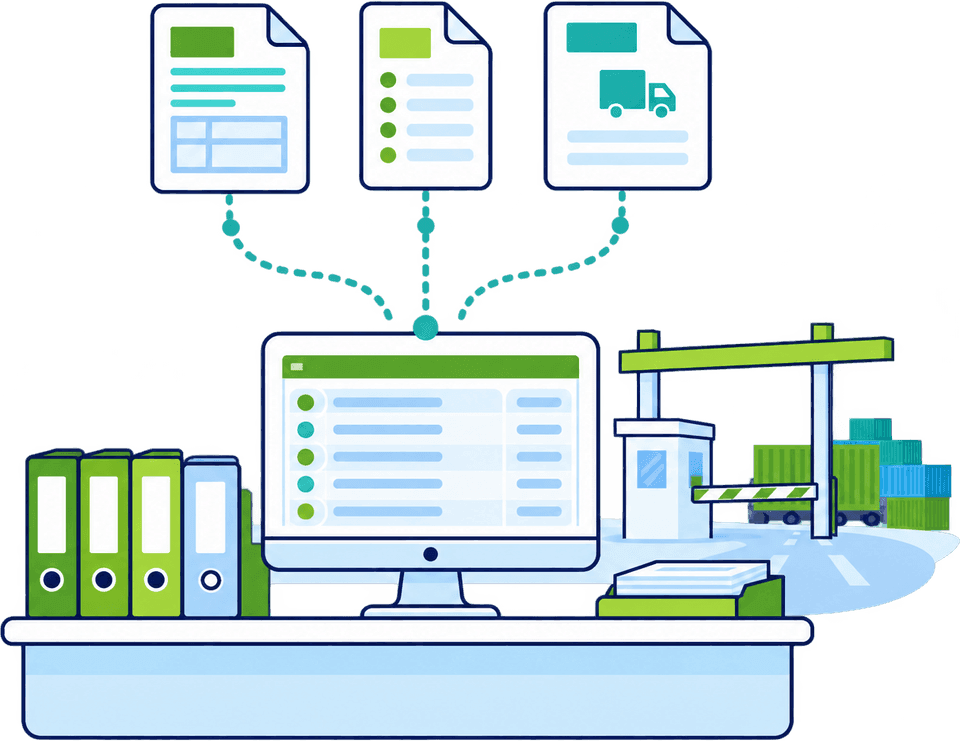
AI document processing turns invoices, packing lists and transport documents into drafts for your team to review, which takes the retyping out of every job. Saved parties, templates and declaration cloning give each repeat client a fast starting point.

You prepare each client declaration, check it and submit it directly to HMRC, with built-in checks and our UK-based team behind you. Pay as you go, with no monthly fee and no minimum volume, or a custom subscription with volume discounts as your client book grows.

Why it matters

Keep the client detail. Reduce the repetition.

A familiar client does not always mean a familiar shipment. Goods, values, origin evidence and procedures change from one job to the next. CDUK gives your desk a quicker starting point for every entry while keeping those differences visible.

  • Start with the documents

    IDP reads invoices, packing lists and transport documents into a reviewable draft. Your team checks the results, resolves conflicting values side by side and completes any missing details before the declaration is created.

  • Work across many goods lines

    For CDS entries, commodity requirements mapping organises the data and supporting document requirements linked to each code you select. Apply shared information across the relevant items in one move, then review the exceptions line by line.

  • Keep the response with the declaration

    Follow every submission and customs response in the platform, with notifications as they arrive. An acceptance, a request for further information and a release each call for a different next step. The full history is kept in the audit trail.

Filings

Choose the filing your client needs

Many client jobs involve more than one formality, each with its own purpose, data and deadline. File them all from one CDUK account, with a guided workflow for each requirement.

Client requirementCDUK workflowWhat CDUK helps you check
GB import or export declarationGB CDSProcedure, commodity, valuation and origin checked before submission; the declaration names the right parties
Safety and security for entry into GBGB ENSRoute and carrier guidance, with the filing prepared and lodged from the same account
Safety and security for entry into the EUICS2 ENSPrepare the ENS with the right dataset for the movement; air lanes confirmed with us per dataset
GB transit departure or arrivalNCTSGuided departure and arrival filing. Bring your guarantee arrangement or authorised waiver; we supply the filing software
Reference for a GVMS crossingGMR creationDeclaration references pulled through for the route and direction. GMR is free when the declaration is filed with us
French smart-border logistics envelopeELOFile the declarations underneath, then the ELO. Free with fair usage when the declaration is filed with CDUK

The route and procedure decide which combination applies. For how two of them connect, read ELO and ICS2: why your ENS must come first.

Illustrative example

A repeat shipment, with today's facts

A regular importer sends a fresh invoice with a different origin for one product. Start from the saved information, update the shipment and review that line's treatment. Every changed value stays in front of your team.

Saved record vs this shipment

Start from the record. Check what changed.

Reusing a saved record gives your team a quick first draft in minutes. Compare the new invoice with what you saved and the platform highlights every field that moved, so your desk reviews only what changed.

  • Parties and addresses reused from the saved record, saving re-keying
  • Changed values highlighted for review rather than silently carried over
Responses in one place

Know where each client's declaration stands.

CDUK shows draft, query, submitted and released in words, so your desk can see where every client's declaration stands and what to do next.

  • Draft: waiting for your review, ready to submit once checked
  • Query: further information requested, so respond in the platform rather than resubmit
Test it on real work

Bring a representative job to the demo

Three jobs tell us more about your desk than any feature list. Bring one, or all three, and we will show how CDUK shortens each of them on work you actually do.

A simple entry

  • GB CDS
  • IDP

Take a routine import or export for a client you know well. We walk through the filing from documents to submission, including how saved parties and previous declarations speed up the start and how responses appear alongside the declaration.

  • Documents to draft with IDP, then your review
  • Saved parties and previous declarations as the starting point

Works best with the real invoice and packing list, anonymised if you prefer.

See GB CDS filing
Getting started

From first demo to live client filing

Start small, with clients and routes your team already knows, and grow from there. Our UK-based team supports you from account set-up to your first live client filings.

  1. Step 1: Walk through your jobs

    Show us a simple entry, a many-line declaration and a rework-prone shipment. We demonstrate the filing process around your actual operation, so you can see where your desk saves time.

  2. Step 2: Confirm scope and access

    Agree which services you need, how user access should work and which inventory-linked ports you use. We confirm the setup for your ports and movements, including connections with CNS, MCP/Destin8 and CCS-UK, and no port badge is needed for GVMS movements or export declarations.

  3. Step 3: Onboard and pilot

    Create your account, which is activated instantly, and complete the setup needed to file directly with HMRC. Begin with routine entries for a few clients while our onboarding and training help your team learn the workflow, then bring the rest of your client book across.

  4. Step 4: Extend by service and volume

    Add transit, safety and security and GMR creation as clients need them, all in the same account. Pay as you go, or agree a subscription against your expected volumes on the pricing page.

Frequently Asked Questions

Questions from customs agents.

Can we file for different customers?

Yes. CDUK is built for desks that file for many clients. Set up the right parties and representation for each declaration, and agree user access during onboarding. One account covers every client and service, with a full audit trail.

Who is responsible for the declaration content?

Your team. You prepare each declaration, check it and submit it directly to HMRC, so you have full control. Built-in real-time validation, guided wizards and commodity requirements mapping help you get it right first time, and our UK support team is there if you want a second pair of eyes.

What about inventory-linked ports?

CDUK connects with CNS, MCP/Destin8 and CCS-UK, the Community System Providers behind inventory-linked ports, and we confirm the setup for your ports during onboarding. For RoRo movements, see filing import declarations without a port badge.

How does document extraction handle conflicting documents?

IDP shows conflicting values from different documents side by side so your operator chooses the value to use, and can group duplicate goods lines across documents. You review the draft and complete any missing details before the declaration is created.

Can we handle transit and GMRs for the same clients?

Yes. CDUK offers NCTS transit and GMR creation alongside CDS and safety and security, all from one account. GMR creation is free when the Import, Export, Transit or ENS declaration is filed with CDUK. For transit, bring your guarantee arrangement or an authorised waiver, and we supply the filing software.

How does pricing work when we file for multiple clients?

It is pay as you go with no monthly fee and no minimum volume, or a custom subscription with volume discounts as your client book grows. AI document processing carries no per-document fee. See our pricing page and tell us your expected volumes and services, and we will help you cost it.

See How CDUK Fits Your Customs Desk

Bring a simple entry, a many-line declaration and a shipment that causes rework. We will walk through filing, port connectivity and onboarding around your actual operation, so you can see the time and cost saved before your first client entry. Book your demo or register and start filing today.
