
LiveNCTS6 transit declarations are now live — alongside CDS, GB ENS, EU ICS2, GB GVMS and French ELO
Register
Customs software · Data integration

Connect Your ERP, TMS and WMS Data to Customs Filing

Use the shipment information your business already maintains instead of re-keying it. We start with the source data and the declaration workflow you want to improve and scope the connection with you. Your team then files its own declarations on CDUK, with less typing and fewer errors.

  • Supported file import
  • Integration scoping
  • Document processing
  • Review before submission
  • Map ERP, WMS and TMS data to a draftMatch your system fields to declaration fields once and create a draft without re-keying.
  • Or upload a warehouse exportDrop in the packing export from your WMS and rows that share a commodity code and origin merge.
  • Fix missing values before you submitGaps left by your exports are listed by section. Fill them, then submit your declaration.
  • See every status update as it arrivesYour team follows each entry from submission to exit in one place.

In a nutshell

Your enterprise resource planning (ERP), transport management (TMS) and warehouse management (WMS) systems already hold much of what a customs declaration needs: parties, invoice values, product records, routes, packages and weights. CDUK brings that data into one filing workflow, so your team stops re-typing and starts reviewing.

You can start with bulk CSV or Excel upload, move to an API connection scoped with our team, or use AI document processing where suppliers send documents rather than records. We begin with your source data, agree the right route for your volumes and keep a review step between the data and submission. Nothing is submitted until your reviewer has checked it.

The result is faster filing at lower cost per declaration, with every entry visible on one CDUK account. Pay as you go, with no monthly fee, and our UK team on hand for onboarding and training.

Why start with the data

A connection only helps if it carries the right information.

Integration succeeds when the data is ready. CDUK helps you check the data first, which is cheaper than finding gaps after go-live. Three questions shape a good scope, and our team works through them with you. You will know early what is ready, what needs enriching and who owns each field.

  • Is the data there?

    Product descriptions, quantities and invoice values are often held in an ERP, weights in a WMS and route details in a TMS. We map where each field is maintained, so CDUK receives it once and your team never re-keys it.

  • Is it good enough for customs?

    A description written for the sales catalogue may need more detail to support a classification, and a stock record may not carry customs value. CDUK's real-time validation and commodity lookup highlight what to enrich, so your source records improve with every filing.

  • Who decides what is missing?

    Origin evidence, customs adjustments and procedure decisions may not exist in any source system. Your reviewer adds them in CDUK's guided workflow, where saved parties, templates and checks keep the step quick and consistent.

Data mapping

From your systems to a reviewed declaration.

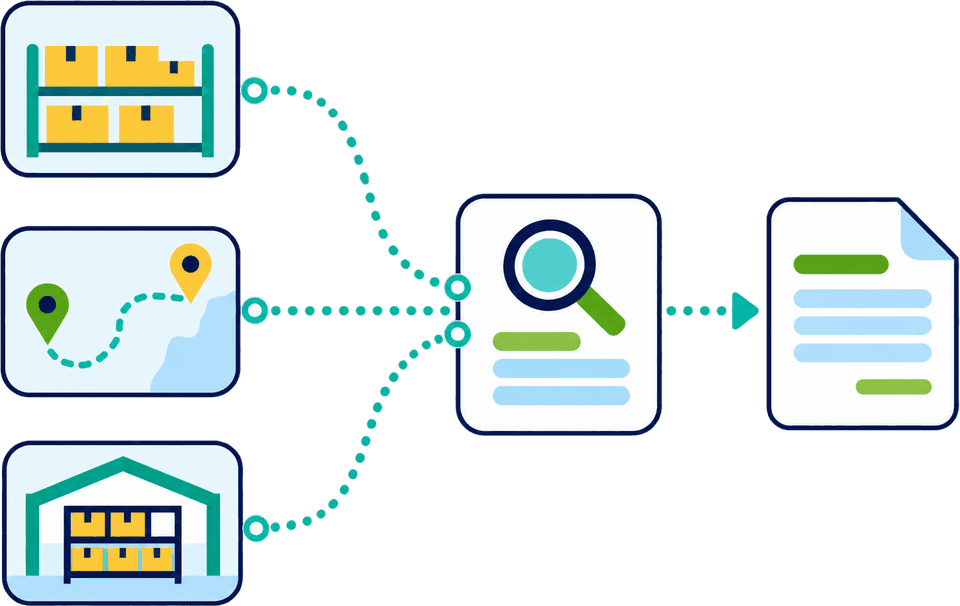
A typical data path starts with the systems that hold shipment facts, adds the customs-specific information none of them hold, and puts a review step before submission. Everything lands in one CDUK workspace, so your team sees the whole filing before it goes to HMRC.

Example integration scope
  • ERPTrading parties, invoice and product data, commercial values
  • TMSJourney and transport-document data for the consignment
  • WMSPacking and goods-quantity data, where held
  • Supplier documentsInvoices and packing lists where no structured record exists
  1. Step 1 · Map: Source fields mapped to the declaration

    Agreed fields are matched to the declaration structure. Unmapped or missing fields are identified up front, so nothing is guessed. Your reviewers start from a mostly complete declaration instead of a blank screen.

  2. Step 2 · Customs review: A person completes and checks

    Your team adds the customs-specific information, reviews conflicts and gaps with real-time validation, and approves the filing. You have full control of every declaration, and the audit trail records who approved what.

  3. Step 3 · Submit: Submission to the authority

    The reviewed declaration is submitted directly to HMRC from CDUK, with no intermediary. You file when you are ready, and nothing waits on a third party.

  4. Step 4 · Response: Status and references returned

    CDUK notifies you of customs responses and holds references beside the declaration. What is returned to your systems is agreed with our team in scope, for example to update shipment records or trigger the next step in your process.

Every connection is scoped with our team around your workflow, so you get the fields and responses that matter to your lanes.

What each source usually holds

Information to assess, system by system.

Example integration scope
Source systemInformation to assessWhat often still needs a person
ERPParties, invoices, product records, currencies and commercial valuesOrigin evidence, value adjustments and code confirmation, added in the CDUK workspace
TMSRoute, transport document, vehicle and consignment detailsDeclaration type and movement references, guided by the CDUK wizard for your route
WMSPackages, goods quantities and available weight informationWeights and package counts reconciled against documents, with conflicts flagged for you
CDUK filing workflowCustoms-specific information, submission and authority responsesFinal review by your team, then submission directly to HMRC

A single declaration often draws from more than one system. We help you agree which system is the master for each field, so CDUK always receives one trusted value and your reviewer never has to decide which system is right.

Choose a proportionate starting point

Three routes, three different jobs.

The right route depends on how your data exists today, how often it moves and how much you want to build. All three feed the same CDUK workspace. You can start small and add routes as volumes grow, with no minimum volume.

Start from exports you already have

  • CSV
  • Excel
  • Smallest scope

Bulk CSV or Excel upload suits teams whose ERP, TMS or WMS can already export structured data. You can start filing straight away and learn which fields matter before committing to a larger integration. The same data mapping carries over if you later move to an API connection.

  • Use the CDUK template for the declaration types it covers
  • Agree who prepares the export and how often it runs
  • Keep a review step before every submission
  • A quick way to prove the data mapping on one lane

Our team confirms the template for your declaration types.

Ask about file import
Illustrative example

What a field-mapping review looks like.

Mapping review

Make gaps visible *before filing.*

Our team works with you to list each declaration field, the source system that supplies it and whether it is ready. The result shows what the integration carries automatically and what your reviewer adds. You can repeat the review whenever you add a lane or a system.

  • Fields supplied and reconciled
  • Fields supplied but needing a decision
  • Fields no system holds, which your reviewer adds in CDUK
Agreeing scope

From first call to a working lane.

Integration scope grows from a working example. We suggest proving one lane first, then widening it, so you see the savings early.

  1. Step 1: Describe the workflow

    Share your systems, declaration types and volumes, and the one lane you most want to improve. Our UK team will listen first and come back with a proposed route, so you leave the call knowing what is realistic and what it will take.

  2. Step 2: Map one useful connection

    Agree which source supplies which field, what your reviewer adds in CDUK and what comes back to your systems after submission.

  3. Step 3: Scope testing and responsibility

    Decide how the route is tested, who operates it and who reviews and approves filings. Our onboarding and training help your team get started.

  4. Step 4: Widen once it works

    Add lanes, declaration types or systems once the first connection is running well, all on the same CDUK account. Each new lane reuses the mapping, templates and saved parties you have already built. Our team will help you plan the order that gives the biggest saving first.

Frequently Asked Questions

Questions about integration.

Do you have a ready-made connector for our system?

Tell us your application and version and we will confirm the best route for it. ERP, TMS and WMS connections are scoped with our team around your workflow, using API connection, bulk upload or document processing. Whichever route fits, declarations are prepared, reviewed and submitted in the same CDUK workspace.

How does HMRC connectivity relate to our integration?

CDUK handles the connection to HMRC for you, and your systems connect to CDUK. You get one interface to scope and maintain, while we take care of submission, responses and references.

Can an integration submit without an operator?

You decide the submission controls during scoping. We recommend a named reviewer between the data and the submission, which gives you full control and a clear audit trail. Our team will help you design the approval steps, and every submission is recorded with who prepared and approved it.

We only have structured exports. Is that enough?

Yes, in most cases. Structured CSV or Excel exports are enough for bulk upload, which is a fast way to start filing. Our team will confirm the template for your declaration types. You can add an API connection when volumes justify it.

Can integration data go into any declaration type?

Coverage is scoped with you around the declaration types and countries you file. CDUK brings GB CDS declarations, ENS, ICS2, NCTS, GMR and ELO onto one account, so one connection can serve many filings.

How does this relate to high-volume filing?

Repeated data exchange often makes high volumes manageable and keeps cost per declaration low. See automate high-volume declarations for the wider picture, and reduce manual data entry for preparation methods.

What does an integration cost?

Filing is pay as you go with no monthly fee and no minimum volume, or a custom subscription with volume discounts for regular filers. We discuss integration scope alongside it. See our pricing page or contact us.

Map One Useful Connection First

Send us your systems, declaration types and a sample record, and our team will scope a practical first connection with you. File your own declarations on one CDUK account, pay as you go with no minimums, and start with a single lane to see the saving on your own data.
